
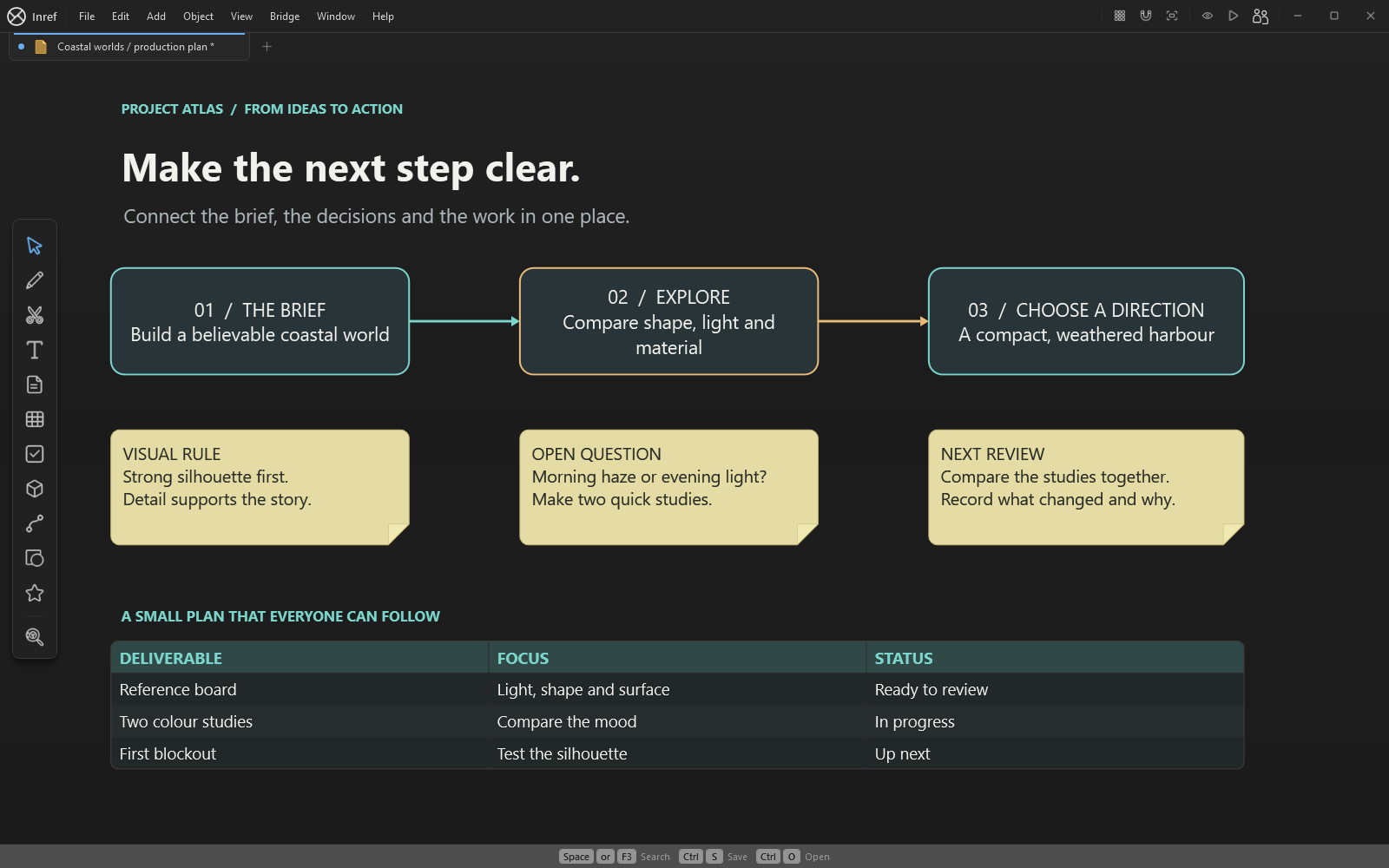
Build a project board around an outcome
Write what you are making, who it is for and what the first review must show. For a game-art prop, that might be an approved silhouette and two material studies. Place the brief beside a small set of references instead of separating the plan from the visual evidence.
Group references by purpose: silhouette, scale, materials and lighting. Use frames to give the brief, current work and review notes their own areas. Name objects so you can find them in the Outliner as the project grows.
Make actions and dependencies visible
Create one note per action, with an owner, a review point and a clear result. Use checkboxes and status indicators to show progress, and shapes with arrows to explain dependencies. Review these manually as work changes; a drawn connection is not an automated project schedule.
- Write the outcome and constraints in the brief.
- Choose the references that support that outcome.
- Break the next milestone into a few observable actions.
- Connect actions that depend on an earlier decision.
- Place the latest work beside the action and record the review result.
Keep decisions with the work
Bring in screenshots, sketches and supported media as the work develops. Record why a direction was approved or changed. Save a milestone copy of the editable board and export an image for someone who only needs to review it.
Use the project organiser for related boards and files, and tables, formulas and charts where they help explain the plan. These tools are included in Inref.
Start with a small, reusable workflow
Try the project-kickoff starter for a brief or the brainstorm mind map for an unresolved question. Both are editable native boards with tables included in Inref. You can also begin with your own images, notes and shapes.
Bring in your own reference images, models and materials. Keep source credits and licence information with any content you use.